

TreadCode
Prince Thakur • Products
A native Windows desktop tool that shows you exactly what your code does, step by step — with live memory, variables, algorithm animations, and a built-in whiteboard. No internet required.
Preview(4 screenshots)
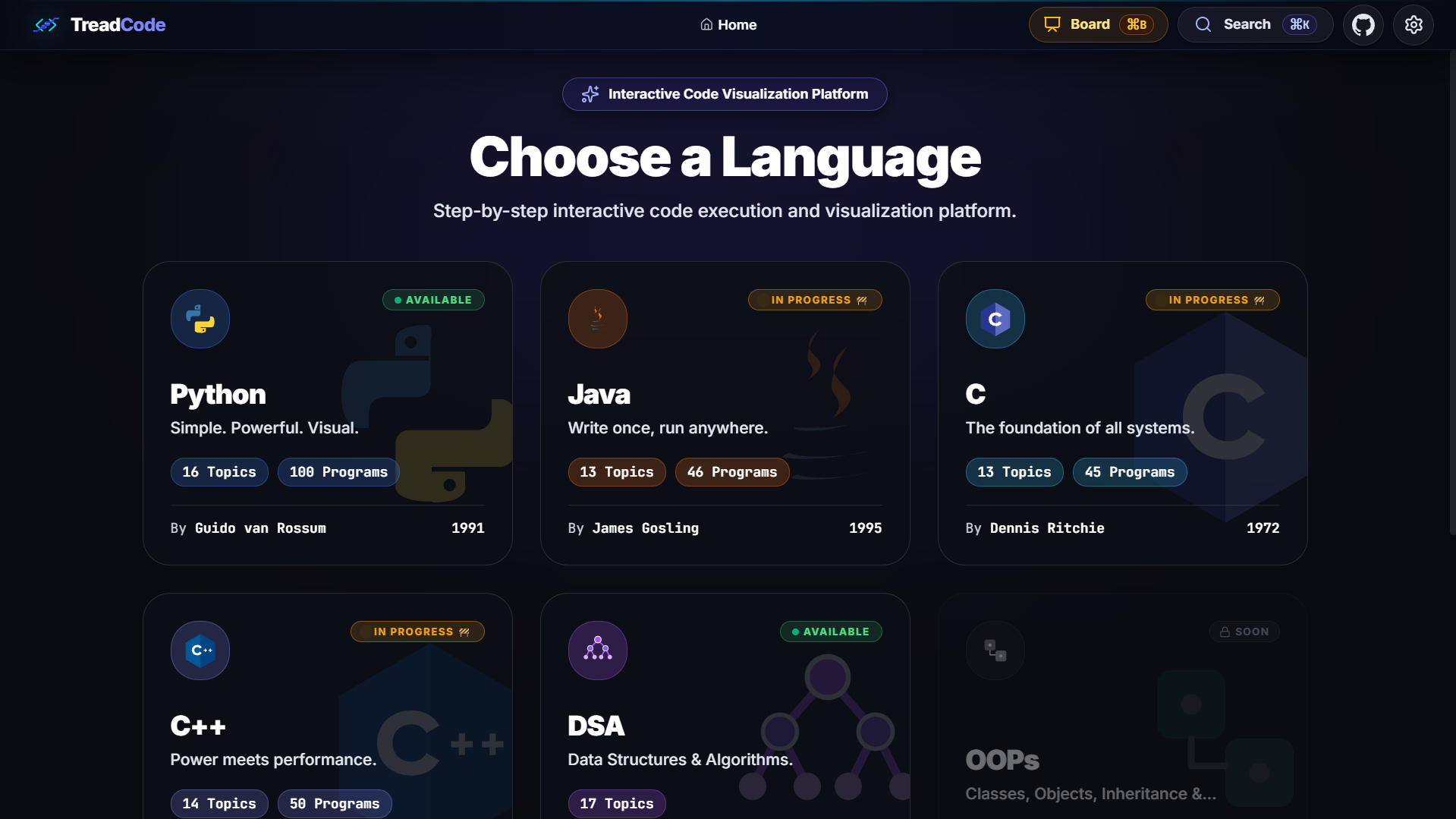
Stages & Topic Selection
Browse through DSA categories, Python, C/C++, Java, and algorithms.
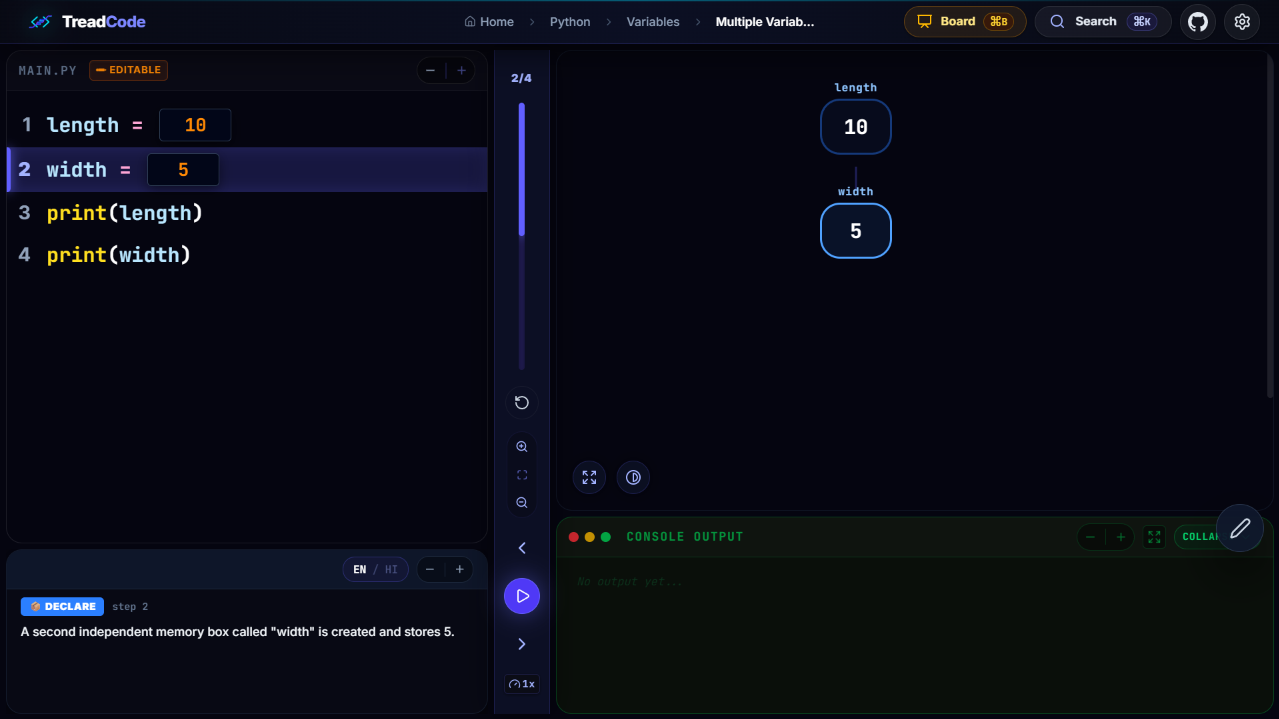
Step-by-Step Code Execution
Live line-by-line tracing, synchronized variables, stack, and console output.
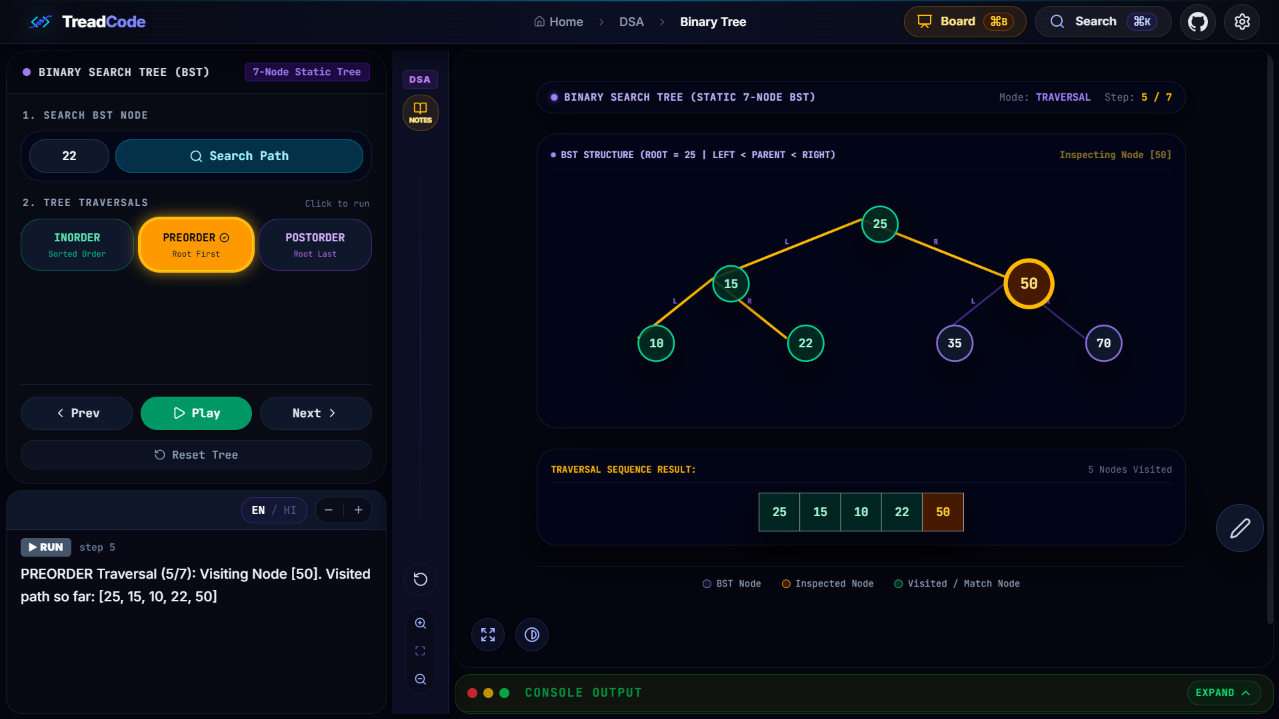
Interactive DSA Algorithms
Visual binary search trees, Dijkstra graphs, and animated memory array swaps.
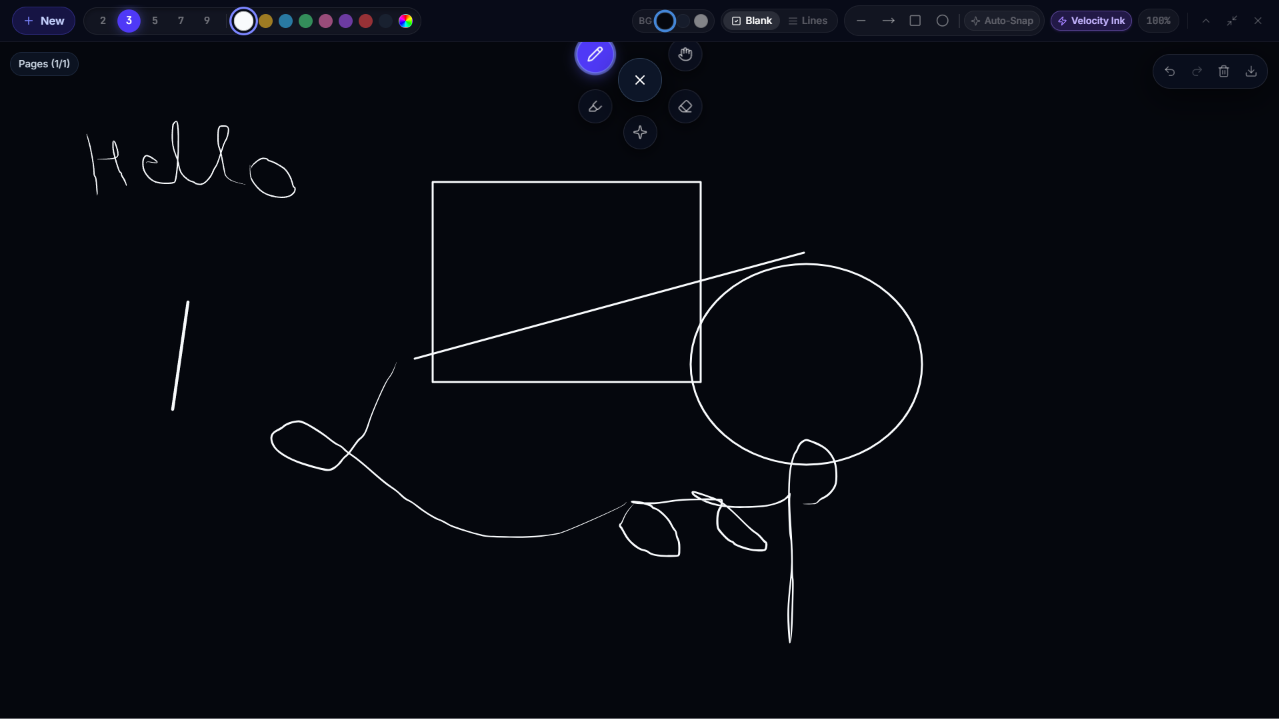
Integrated SmartBoard Overlay
Instant whiteboard drawing canvas to annotate directly over live code.
Overview
What is TreadCode?
TreadCode is a dedicated offline desktop learning and code execution visualizer built specifically for classrooms, educators, and programming students. Instead of struggling with static code on a blackboard or pre-recorded videos, TreadCode allows you to watch your code execute step-by-step with synchronized memory state, variable changes, and visual algorithmic representations in real time.
Core Features
- Step-by-Step Code Execution Visualizer: Highlights each active line of code while displaying live memory panels, variable changes, stack states, and program output simultaneously.
- Interactive DSA Algorithms: Explore Data Structures & Algorithms through interactive visual stages including Sorting (Bubble, Selection, Merge, Quick), Trees (Binary Search Tree traversals), and Graphs (Dijkstra shortest path, BFS, DFS).
- Integrated SmartBoard Drawing Canvas: Faculty and learners can trigger the built-in SmartBoard overlay with one click to write, draw diagrams, and annotate directly over the live executing code.
- Live Parameter Customization: Modify array input parameters, edit values, and test edge cases on the fly with immediate visual recalculation.
- Bilingual Hindi & English Explanations: Features both audio and textual step-by-step explanations in Hindi and English, making complex logic clear and beginner-friendly.
- 100% Offline Native Desktop Engine: Engineered with Tauri and Rust for lightweight resource usage, zero latency, and complete offline capability on Windows.
Technical Specifications
- Target Platform: Windows 10 / Windows 11 (x64)
- Engine: Tauri 2.0 native Windows runtime with hardware acceleration
- Internet Requirement: 100% Offline (No cloud dependency)
- Architecture: 64-bit (x64)
- Developer & Publisher: Prince Thakur
Additional Information
Prince Thakur
Aug 14, 2026
72.5 MB
v1.0.8
Windows 10 / 11 (x64)
x64 (64-bit)
ec07a09f0eb5dd0d4b52628d9f3708dbd03bb017cc7239f0fc03e8408c6b5ffb